
PIGSHOT Slide Guide: PC Controls and Movement Tips
Learn the PIGSHOT slide control on PC, practice movement alongside jumps and grappling, and plan safer routes to weapons during fast Roblox arena battles.
Jump to
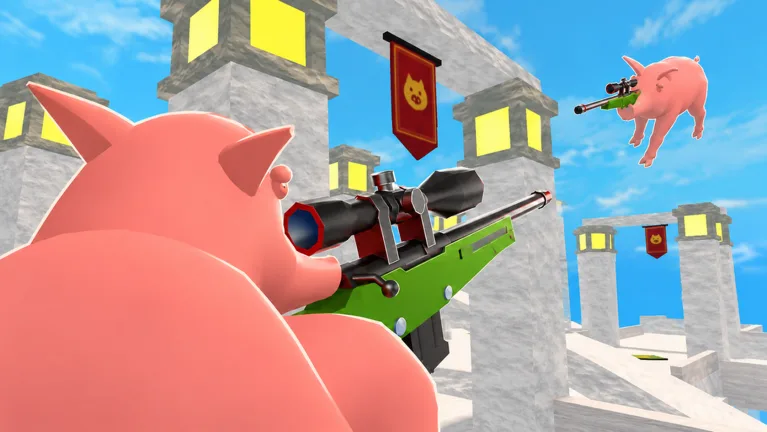
How to Slide in PIGSHOT on PC
Press C to use the PIGSHOT slide on PC. Learning that input gives you another movement option when you need to reach a weapon or reposition during a duel. Practice it alongside jumping before trying to manage movement and aim at the same time.
Keep these basic PC inputs within easy reach:
| Action | PC input |
|---|---|
| Slide | C |
| Jump | Space bar |
| Fire | Left mouse button |
Start by practicing each action separately during the tutorial. Get comfortable finding C without looking away from the arena, then practice moving toward a destination while keeping your camera pointed where you want to go.
The tutorial includes bot targets and an objective to eliminate three enemies. Use those targets to practice aiming with the left mouse button alongside your movement inputs. A shotgun appears during the introduction; take time to line up your shots instead of rushing through the combat exercise.
Official page: PIGSHOT (roblox.com)
Use Sliding to Reposition During Duels
PIGSHOT matches are a race to three round wins, so movement needs to help you survive the current fight. Give each slide a destination: a weapon crate, a route away from an armed opponent, or a different approach to the action.
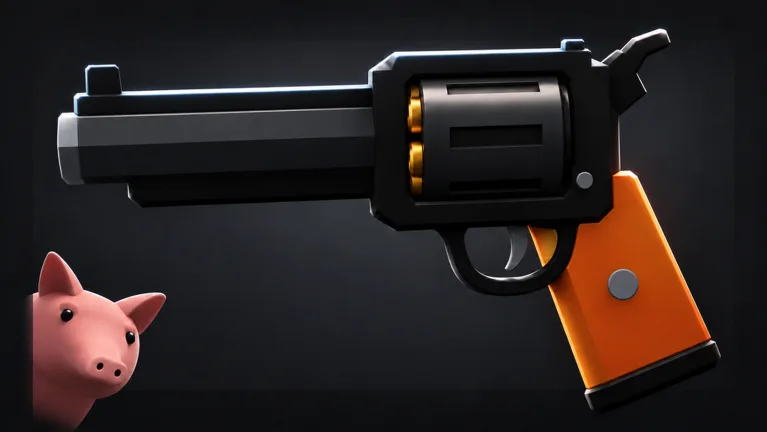 Image: Roblox / Polsia Studio
Weapon crates matter because you can enter a round without a gun. Ammunition can also run out during combat, leaving you searching for another weapon.
- Locate a crate before chasing an opponent. Prioritize getting armed when you have no weapon.
- Plan your next pickup before you run dry. Watch your ammunition while moving around the arena.
- Keep the arena edge in view. Choose routes that leave room to maneuver instead of taking a direct line toward a drop.
If an opponent already has a shotgun while you are still hunting for a weapon, use your movement options to seek another crate rather than closing the distance.
Crate drops can put weapons near the opposing team, and opening a crate does not prevent an opponent from grabbing the weapon it drops. Watch the pickup itself, not just the box. Keep track of nearby enemies while approaching so you can react if someone else reaches the gun.
The weapon selection includes shotguns, revolvers, miniguns, grenade launchers, and a rocket crossbow. A bow can also be charged before firing. When facing a charging bow user, use your movement to seek a different angle rather than standing still while waiting for the shot. Keep your next destination in view.
You can play 1v1, 2v2, and 3v3 matches. Practice tracking a single opponent in a duel, then account for additional enemies when moving into team fights. Before heading toward a crate, look for both the weapon and the other pigs approaching it; the closest opponent is not necessarily alone.
Practice Sliding Alongside the Other Movement Options
Your pig can also double jump, flip, and swing with a grappling hook. Learn sliding as part of that movement kit so you can choose how to approach each stretch of the map.
Practice a short route with a clear destination. Slide across a ground section, then practice jumping and grappling separately. Add those actions to the route once you can keep track of your landing area and nearby opponents.
Apply that practice to the arena selected through map voting. Castles, desert ruins, and shipping docks give you different surroundings to navigate; look over the route to your next weapon before committing to it.
Zip lines provide another way to move around. On PC, look at a zip line and press Space to get on it. That shares an input with jumping, so pay attention to what you are looking at near one. Practice boarding deliberately before trying to use it during a fight.
In team matches, leave teammates room to move toward crates and opponents. Avoid crowding the same approach when another route gives you space to reach the fight.
Continue with
 PIGSHOT Double Jump Guide: Movement and Combat TipsLearn how PIGSHOT double jump fits into combat, with PC jump and slide controls, grappling tips, and movement advice for fast, round-based Roblox duels.
More in Movement

PIGSHOT Flip Guide: Movement Tips for Roblox Duels
Learn how the PIGSHOT flip fits into movement alongside grappling, double jumps, and slides, with practical tips for weapon pickups and round-based duels.
PIGSHOT Grappling Hook Guide: Swing and Escape Smarter
Learn how to use the PIGSHOT grappling hook to reposition, escape pressure, and plan safer routes while combining swings with jumps and slides in Roblox.
PIGSHOT Movement Guide: Grapple, Jump, and Slide to Win
Use this PIGSHOT movement guide to learn jump and slide controls, plan grappling routes, and reach weapon crates without rushing straight into enemy fire.
PIGSHOT Rails Guide: Movement Tips for Winning Duels
Learn how PIGSHOT rails fit into arena movement and use grappling, double jumps, and slides to plan routes, reach weapons, and fight for three round wins.
Continue exploring
PIGSHOT Controls: Jump, Slide, and Shoot on Roblox
Learn PIGSHOT controls for jumping, sliding, and shooting on PC. Get practical tips for grabbing weapons, managing ammo, and surviving fast Roblox duels.
PIGSHOT Beginner Guide: Win Rounds and Master Movement
This PIGSHOT beginner guide covers your first matches, weapon crates, movement, team fights, and coin rewards. Learn what to prioritize before each duel.
Join the community
Official channels for news, updates and player help: