
PIGSHOT Controls: Jump, Slide, and Shoot on Roblox
Learn PIGSHOT controls for jumping, sliding, and shooting on PC. Get practical tips for grabbing weapons, managing ammo, and surviving fast Roblox duels.
Jump to
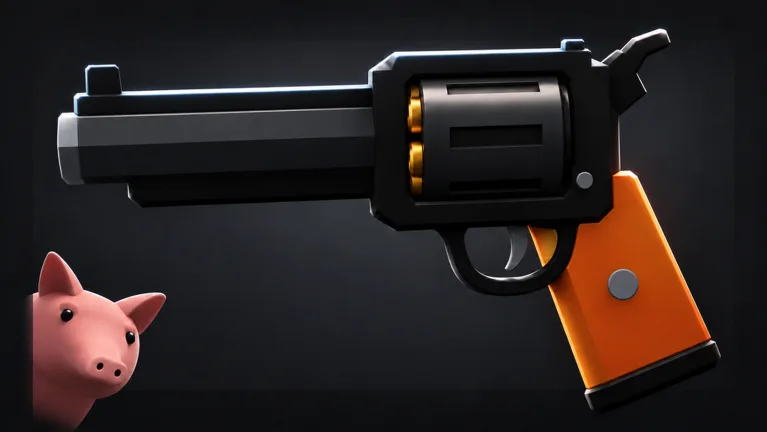
PC Controls for Shooting, Jumping, and Sliding
Learn PIGSHOT controls before your first duel so you can shoot, slide, and jump without hunting for keys. Rounds move quickly, and the first side to win three rounds takes the match. Get comfortable with these basic inputs before adding grappling and aerial movement.
| Action | PC input |
|---|---|
| Shoot | Left mouse button |
| Jump | Spacebar |
| Slide | C |
| Get on a zip line | Look at the zip line and press Spacebar |
Practice jumping and sliding during the tutorial, then work on hitting its enemy targets. Focus on keeping your target in view while moving instead of pressing every movement button at once.
The zip line interaction also uses Spacebar, so pay attention to what you’re looking at when you press it. Around a busy zip line, line up your view before trying to get on.
Official page: PIGSHOT (roblox.com)
Using Grappling and Aerial Movement
PIGSHOT includes a grappling hook, double jumps, flips, and slides. Movement gives you more options than simply running toward another pig with your gun raised.

Practice each movement mechanic separately before chaining them together:
- Jumping: Keep track of your landing spot, especially near the edge of a map.
- Sliding: Practice sliding between exchanges of fire so you can follow your opponent through the movement.
- Grappling: Pick a destination on the map before committing to the swing.
- Aerial movement: Keep your view on the fight rather than getting distracted by your pig’s flips.
Be especially careful when fighting near drops. Falling off the map can end your round, and a desperate movement input can turn an escape into a fall.
Explosive hits can also knock you backward. Leave space between yourself and a ledge when facing a rocket crossbow; an incoming hit can threaten your footing as well as your health.
Finding Weapons and Handling Ammo
You can start a round without a gun, so find a weapon crate before committing to a firefight. Look for a nearby box immediately instead of chasing an armed opponent empty-handed.
Crates can give you different weapons, including shotguns, revolvers, bows, and launchers. Adjust your next move to what you picked up rather than assuming every weapon fires the same way.
Bows can be charged before firing, while shields can break during combat. If you pick up a bow, practice charging a shot before releasing it. If you’re carrying a shield, keep an escape route open instead of relying on it to last through the entire exchange.
Watch your ammunition during each exchange. Weapons can run dry, and searching for another crate becomes part of the fight. If you’re out of ammo, break away and look for a replacement instead of staying exposed and repeatedly trying to shoot.
In team matches, leave room for teammates to move and collect weapons. Crowding the same box or blocking a teammate’s path can make an already frantic round harder to manage.
Opening a crate doesn’t guarantee you’ll collect the weapon: another pig can grab what drops. Stay close enough to collect it, and watch for opponents approaching the same box before you stop to open it.
Preparing for Your First Match
Finish the tutorial before joining friends for duels. Learn the difference between firing, jumping, and sliding while the stakes are lower, then bring those inputs into a match.
PIGSHOT has solo duels and team matches, including 2v2 and 3v3. Before a team round starts, agree on who will take a nearby crate so everyone has a chance to get armed.
You can also vote for the map. When learning movement, choose a familiar arena so you can concentrate on your inputs and landing spots instead of figuring out the layout during a fight.
The arenas include castles, desert ruins, and shipping docks. During the map vote, use those settings to distinguish the available choices as you learn where fights and weapon searches take you. Between matches, spend earned coins in the shop on cosmetics, including shirts, pants, hats, and crowns. Complete daily tasks for extra rewards.
Continue with
 PIGSHOT Duel Rules: How Rounds, Weapons, and Wins WorkLearn PIGSHOT duel rules, including the first-to-three format, weapon crates, team modes, and movement tips to help you stay alive and win more rounds.
More in Guide

PIGSHOT Beginner Guide: Win Rounds and Master Movement
This PIGSHOT beginner guide covers your first matches, weapon crates, movement, team fights, and coin rewards. Learn what to prioritize before each duel.
PIGSHOT How to Win: Crate, Combat, and Movement Tips
PIGSHOT how to win guide: Learn to grab weapons, manage ammo, use grapples, and coordinate your team to take three rounds and build a stronger win streak.
PIGSHOT Play With Friends: Join Up and Win Team Duels
Use this PIGSHOT play with friends guide to join a friend, choose team matches, and coordinate weapons and movement in fast, first-to-three Roblox battles.
Continue exploring
Join the community
Official channels for news, updates and player help: