
PIGSHOT Play With Friends: Join Up and Win Team Duels
Use this PIGSHOT play with friends guide to join a friend, choose team matches, and coordinate weapons and movement in fast, first-to-three Roblox battles.
Jump to
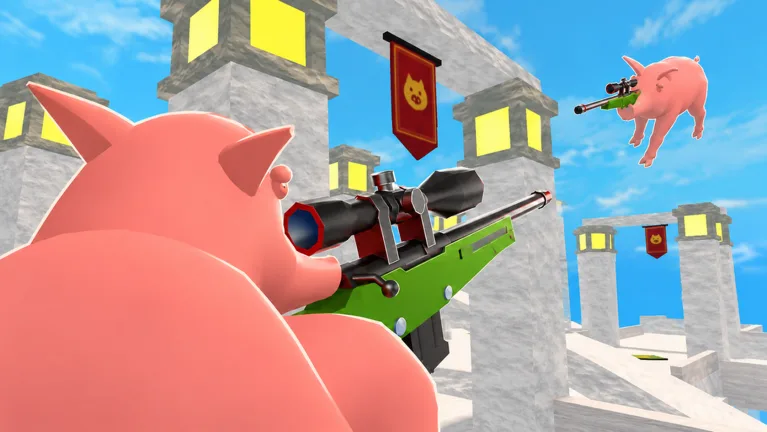
How to Play PIGSHOT With Friends
For a quick PIGSHOT play with friends session, join the same Roblox server, finish the tutorial, and enter a team matchup together. You can team up in 2v2 or 3v3, with the first side to win three rounds taking the match. Get everyone into the lobby before starting so your newest teammate has time to learn the controls.
- Launch the game. Open PIGSHOT on Roblox.
- Bring your friends into the server. Use Invite Friends, or join a friend who is already playing.
- Let newcomers complete the tutorial. Wait until everyone reaches the lobby before heading into a match.
- Meet up and enter the same matchup. Coordinate your team selection rather than entering separate matches.
- Vote for a map together. Available environments include castles, desert ruins, and shipping docks.
Before starting, confirm that everyone can see the same teammates. Being in the same server does not mean you are already fighting in the same match.
Choose Your Team Match
Bring one friend for 2v2 or two friends for a full 3v3 side. If you want to fight each other instead, use a 1v1 matchup.
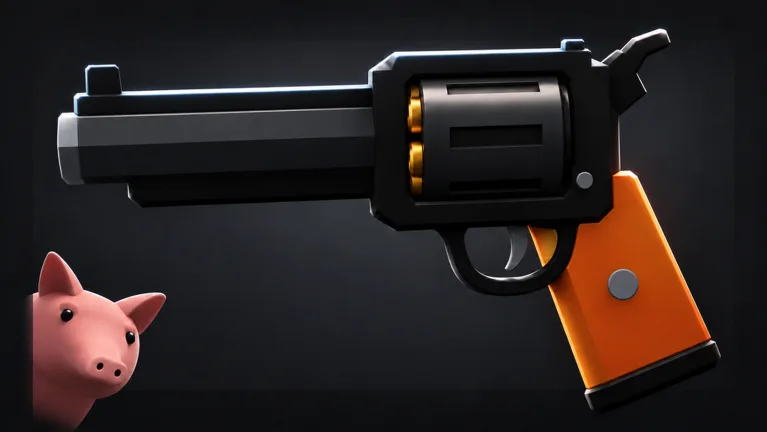 Image: Roblox / Polsia Studio
| Match detail | What to expect |
|---|---|
| Server capacity | 20 players |
| Head-to-head format | 1v1 |
| Team formats | 2v2 and 3v3 |
| Match victory | First to win 3 rounds |
The server’s 20-player limit is separate from the number of pigs on your team. Organize around the matchup you want to enter.
Use an early match to help a new friend learn weapon pickups and movement. Let them practice finding a crate and firing before making a win streak the group’s main goal.
Grab Weapons Before You Push
Weapon crates are an immediate priority. You can find yourself facing an armed opponent while still searching for something to shoot, and opening a crate does not guarantee that you will collect its weapon before someone else.
Call out who needs a gun. If your teammate is unarmed, point them toward a crate instead of both rushing for the same pickup. When an opponent is nearby, cover your friend while they collect it.
Build your team’s opening around these habits:
- Locate a crate before chasing enemies. Avoid committing to a fight while you are still looking for a weapon.
- Identify what you picked up. Tell your teammate whether you have a shotgun, bow, machine gun, or another weapon.
- Watch your ammunition. Call out when you run dry so your friend knows you cannot keep supporting the fight.
- Reposition before searching again. Use movement to get away from pressure rather than standing exposed beside an empty weapon.
Adjust your distance to your weapon. With a shotgun, use cover to approach instead of chasing shots across the arena. Against a shotgun, create space and make the opponent work to close the gap.
Coordinate Movement and Callouts
PIGSHOT gives you a grappling hook, double jumps, flips, and slides. On keyboard, Space jumps, C slides, and left-click fires. Practice those basics during the tutorial so you can move while keeping track of the fight.
Keep your teammate’s firing lane clear. Crowding the same route can leave both pigs struggling to move or line up a shot. Approach from slightly different angles while staying close enough to help.
Use short callouts with information your friend can act on:
- “No gun—looking for a crate.”
- “Shotgun on the right.”
- “Low health—backing off.”
- “One opponent left.”
Name a visible landmark when “over here” would be confusing. Maps include multiple routes and different elevations, so a clear location gives your teammate something useful to aim toward.
If your friend is still learning, explain the next action during a quiet moment: find a crate, pick up the weapon, then regroup. Give them room to learn before asking them to rescue a round alone.
Continue with
 PIGSHOT Beginner Guide: Win Rounds and Master MovementThis PIGSHOT beginner guide covers your first matches, weapon crates, movement, team fights, and coin rewards. Learn what to prioritize before each duel.
More in Guide
PIGSHOT Controls: Jump, Slide, and Shoot on Roblox
Learn PIGSHOT controls for jumping, sliding, and shooting on PC. Get practical tips for grabbing weapons, managing ammo, and surviving fast Roblox duels.
PIGSHOT Duel Rules: How Rounds, Weapons, and Wins Work
Learn PIGSHOT duel rules, including the first-to-three format, weapon crates, team modes, and movement tips to help you stay alive and win more rounds.
PIGSHOT How to Win: Crate, Combat, and Movement Tips
PIGSHOT how to win guide: Learn to grab weapons, manage ammo, use grapples, and coordinate your team to take three rounds and build a stronger win streak.
Continue exploring
PIGSHOT Grenade Launcher: Impact Damage and Duel Tips
Learn how the PIGSHOT grenade launcher deals impact damage, manage weapon pickups, and use movement to stay in the fight during Roblox's chaotic duels.
PIGSHOT Castles Guide: Map Voting and Combat Basics
Explore PIGSHOT castles, learn how map voting works, and use grappling, double jumps, and weapon pickups to handle duels and fight for three round wins.
Join the community
Official channels for news, updates and player help: